

AI-ASSISTED DESIGN APPROACH
Incorporating AI into Decision-Focused Design Workflow
PROBLEM
Users Struggle to Make Confident Furniture Purchases Online
While analyzing furniture shopping experiences, I found that users could easily discover products but struggled to make confident purchase decisions.
Despite multiple options, users hesitated due to unclear dimensions, difficulty comparing products, and lack of clarity around assembly.
This revealed a key gap — online furniture shopping fails to replicate the confidence of in-store decision-making.
OBJECTIVE
Improve Decision Confidence to Increase Conversions
The goal was to reduce user hesitation by improving how products are visualized, evaluated, and understood.
By enabling faster and more confident decision-making, the experience aims to increase conversion rates and reduce drop-offs.
KEY INSIGHTS
Users Don’t Struggle to Find — They Struggle to Decide With Confidence
Insights were derived from analyzing user reviews and behavior patterns from leading platforms like IKEA and Wayfair.
User review highlight:
“the booklet guide was not enough to assemble it alone, and assistance costs extra”
EXPLORATION & DESIGN DECISIONS
Shaping the Approach to Reduce Decision Friction
From Insights to Design Decisions:
Users struggle to visualize furniture in their own space:
•
AR-based preview to reduce guesswork and improve spatial confidence
Users are uncertain about size and proportions:
•
Surfacing dimensions directly in product images allowing users understand size instantly
Users feel overwhelmed by similar options and struggle to decide:
•
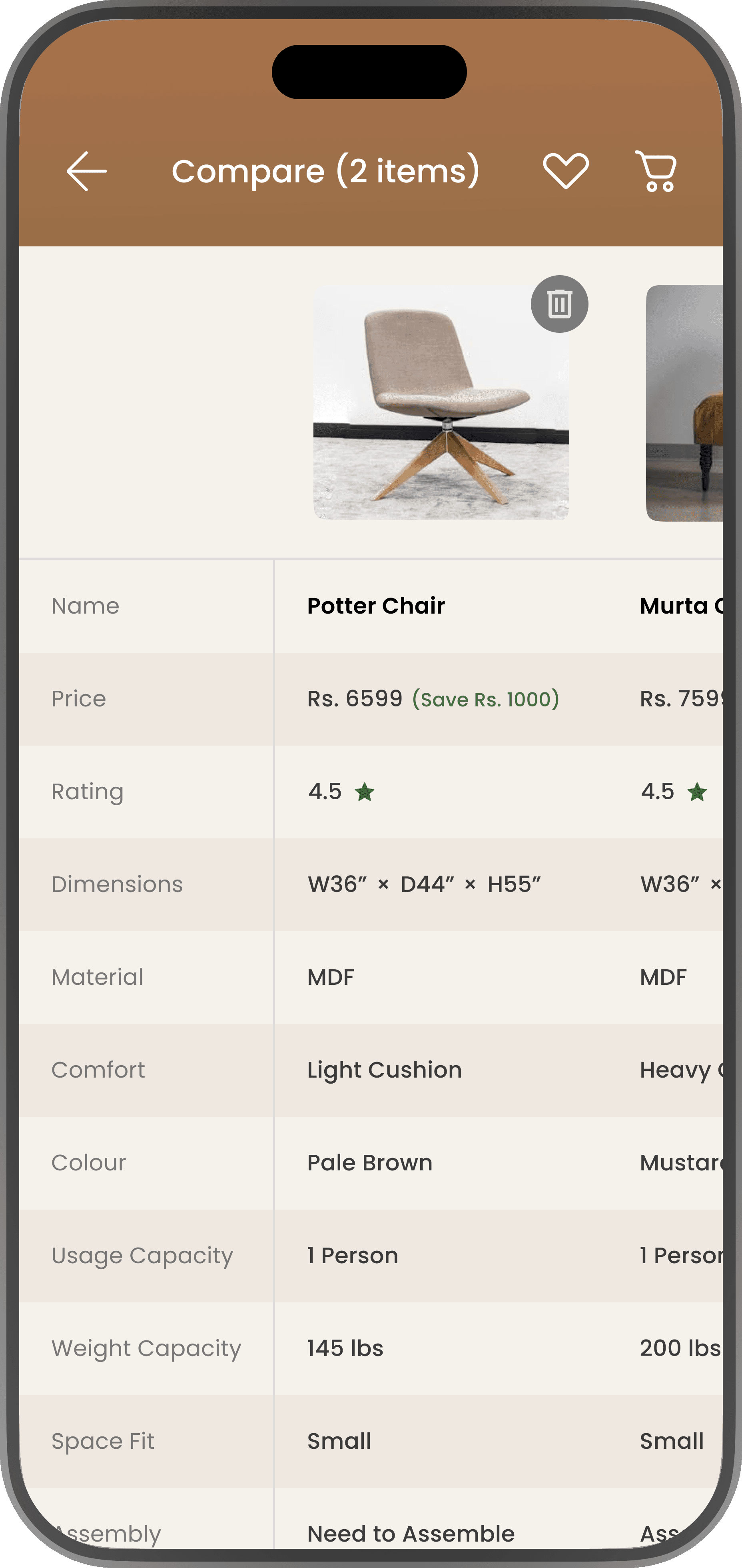
A compare feature to support clearer decision-making
Users feel uncertain about post-purchase effort, especially assembly:
•
Assembly video guidance to set clear expectations and reduce hesitation before purchase
These decisions aim to reduce decision friction and improve purchase confidence throughout the browsing experience.
PRIORITIZATION
Evaluating Solution Priorities - From Exploration to Focus
Users struggle to decide due to multiple friction points across the experience:
To identify the most effective improvements, each solution was evaluated based on impact on purchase confidence and effort required for implementation
Dimensions visibility:
AR-based visualization offers high impact but requires higher effort:
Compare feature:
Assembly guidance:
Dimensions visibility was prioritized as an immediate improvement due to its high impact and low effort
AR-based preview was positioned as a secondary phase due to higher complexity despite its strong impact
SOLUTIONS & EXPERIENCE
Seamless Comparison in Browsing Flow
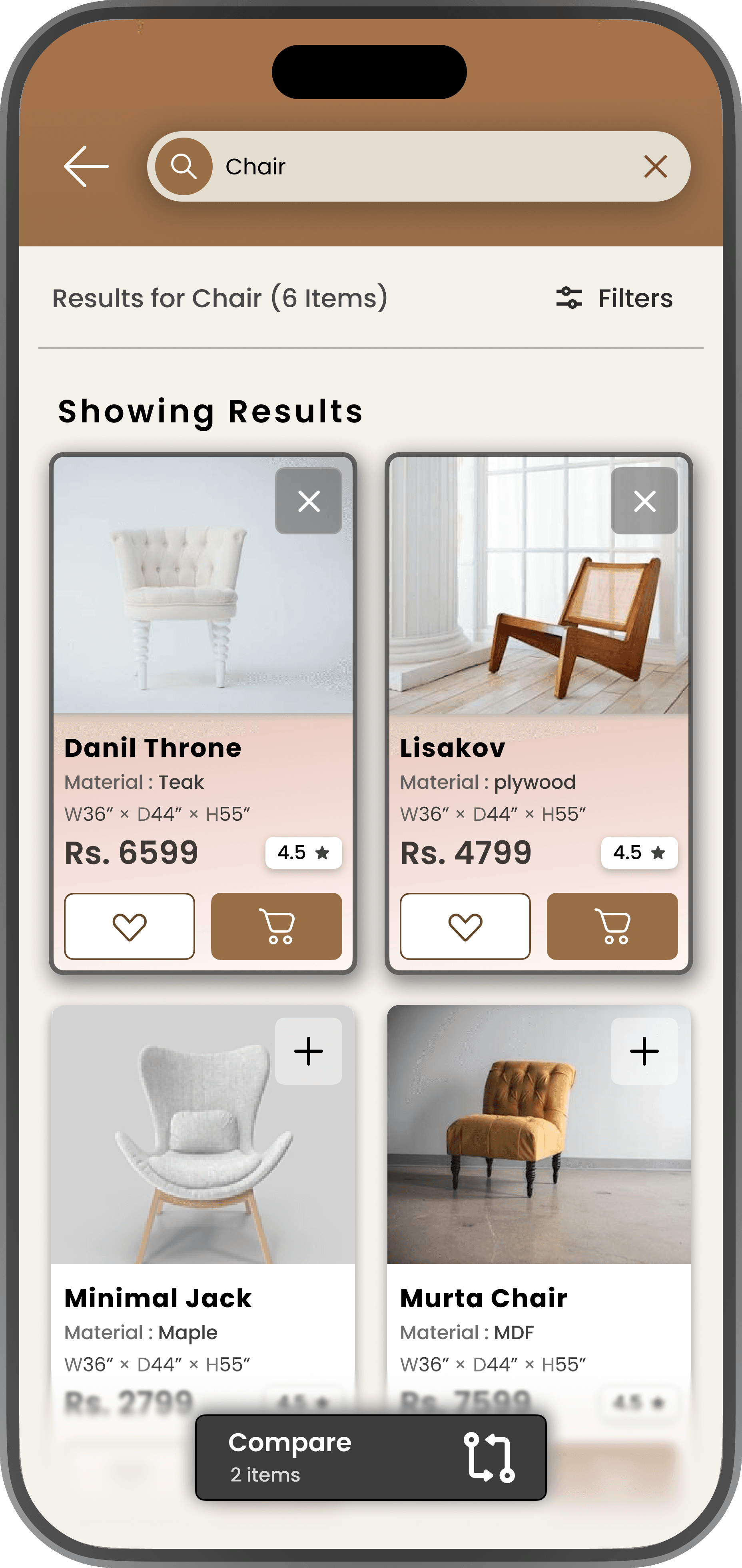
Default

Compare Selected

Tap (+) to select and (×) to remove products for comparison
The challenge was to enable comparison without disrupting the browsing experience.
I designed a multi-select interaction where users can select products directly from the listing, supported by clear selection states and a contextual compare bar.
Selection states use fill, border, and icon changes to remain visible during fast scrolling.
The compare bar provides quick access without breaking flow.
AI-ASSISTED DECISION SUPPORT
To reduce decision friction further, I introduced AI-assisted cues within the experience
Instead of overwhelming users with data, the system provides contextual guidance such as :
These enhancements act as decision support rather than automation, helping users evaluate options faster without losing control.
EXECUTION PROCESS
I explored multiple approaches to help users make confident furniture purchase decisions.
Low-fidelity

Exploration

Refined Layout

Final UI

VALIDATION APPROACH
To Evaluate Impact, the Following Experiments Could be Conducted:
IMPACT
Impact on Decision Confidence & Conversion
The focus was not on pushing users to checkout, but on helping them feel confident enough to proceed.
PROTOTYPE
Explore the Interaction Flow
A clickable prototype was created to demonstrate how users move through key decision points in the experience.